From the table to the kitchen.
Guests scan a QR code and order from their phone. Staff see dine-in orders and website orders together, then send them to the kitchen.
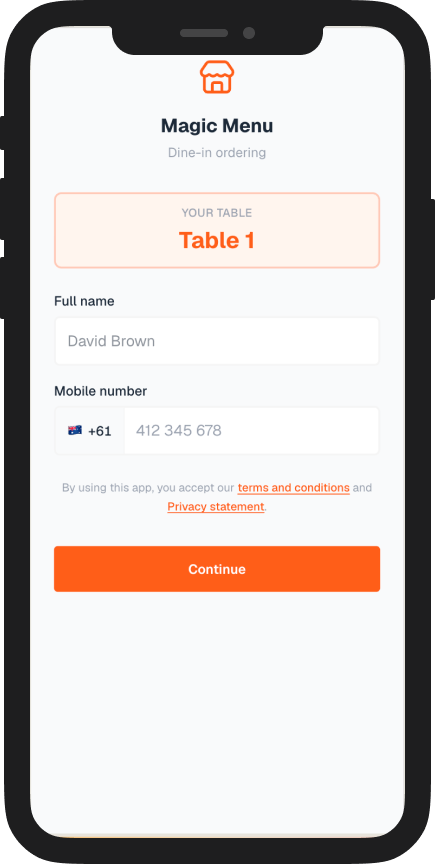
Scan the table
A QR code opens the menu for that table on the guest’s phone.
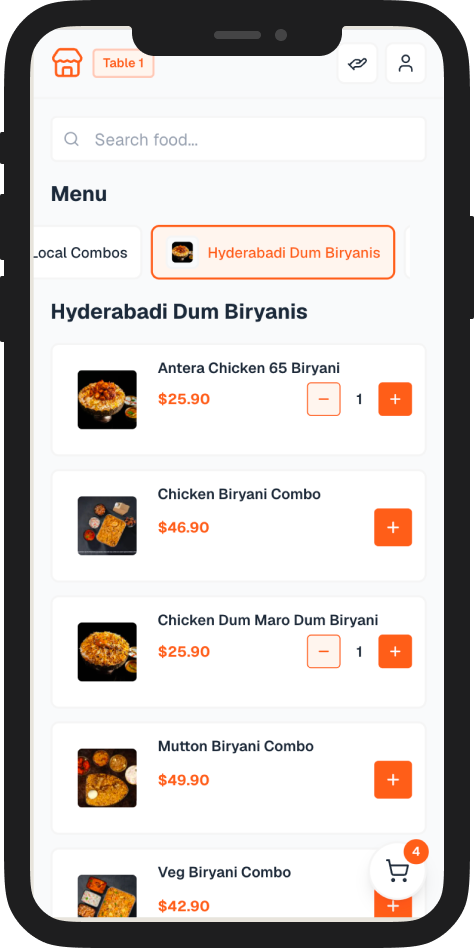
Order from the phone
Guests browse the menu, add dishes and send the order.
Floor and website
Staff see dine-in orders and website orders on one list.
Kitchen board
The kitchen moves each order from new to picked up.
Guests scan the table and order on their phone
The QR code opens that table. The guest adds their name, browses the menu and sends the order without waiting for a menu.
- The code is tied to the table
- The full menu is on the phone
- Name and mobile stay with the order
- The order lands with the floor staff
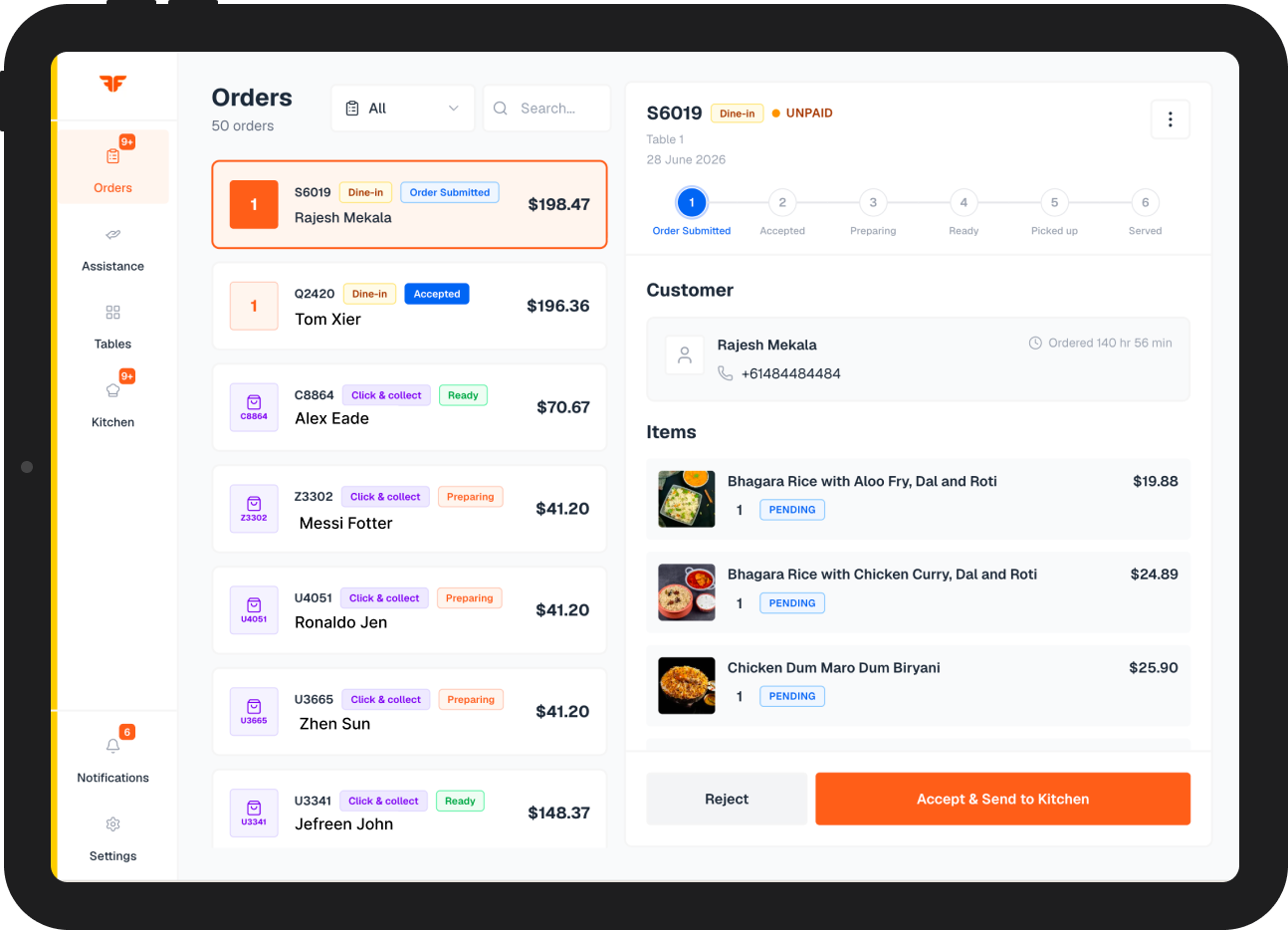
Staff see dine-in and website orders together
The floor list shows orders from the table and orders from your own website. Accept one and send it to the kitchen.
- Dine-in and website orders on one screen
- Table, customer and items stay on the order
- Accept the order and send it to the kitchen
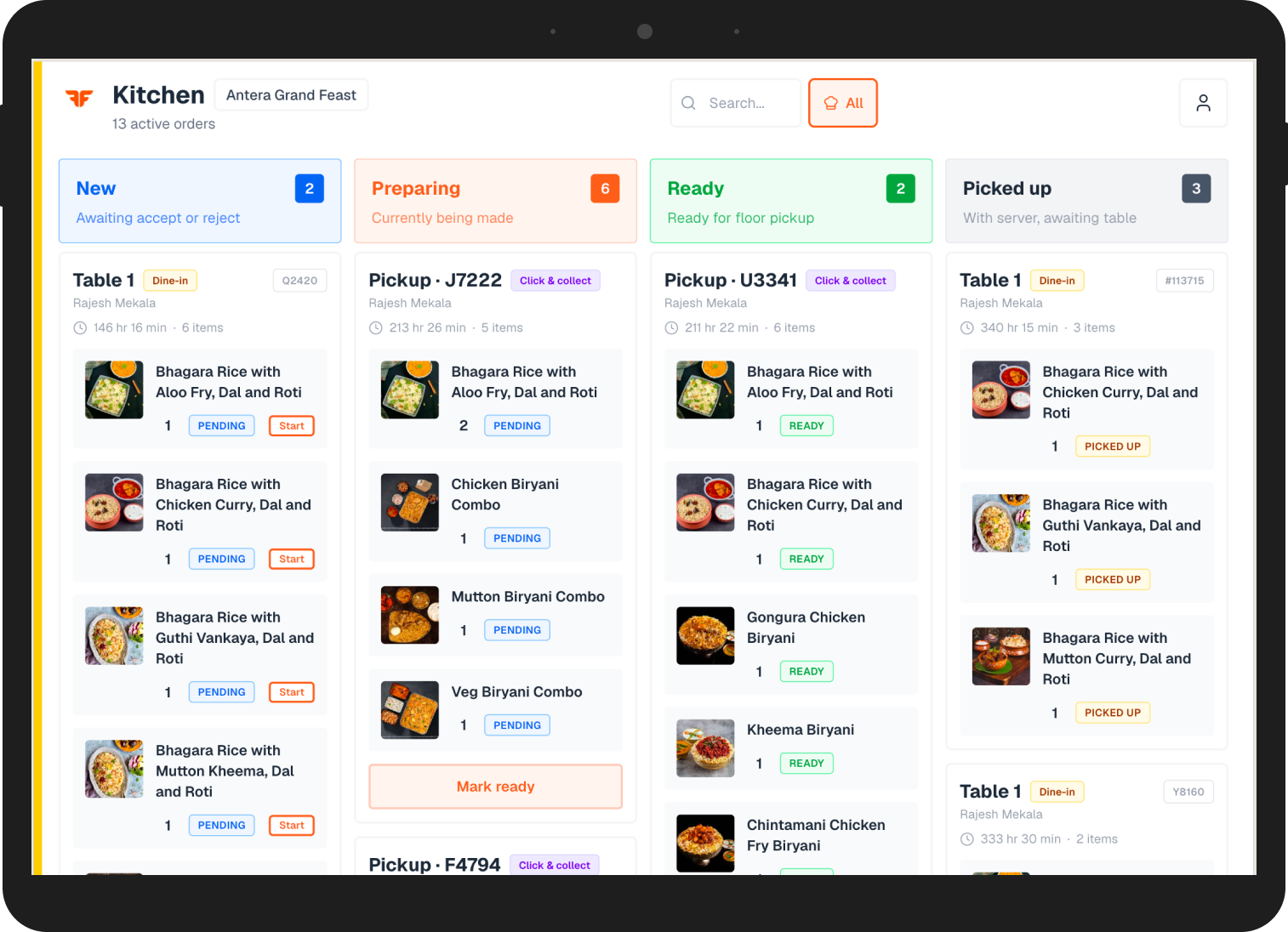
The kitchen tracks every order on a board
New, preparing, ready and picked up sit in columns. Dine-in and website orders move across the same board.
- New
- Preparing
- Ready
- Picked up
Table ordering pricing
One price for each table you run each month.
What’s included
- QR ordering at the table
- Menu on the guest’s phone
- Dine-in orders
- Website orders
- Send to the kitchen
- Kitchen progress board
See it in your dining room
Book a demo for your restaurant and see the guest phone, the staff list and the kitchen board together.